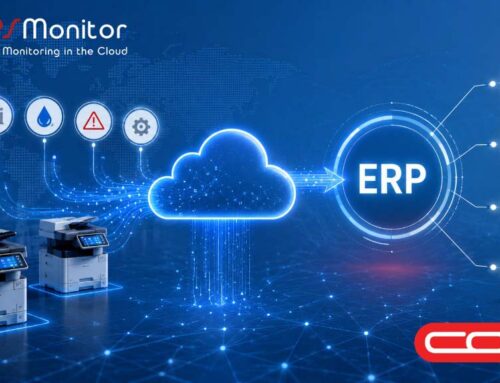
Getting accurate, reliable printer data into your MPS platform shouldn’t be a project. For Print Dealers and MPS providers managing printer fleets across multiple customer sites, the setup and configuration of data collection tools can be a friction point in delivering managed print services. We’ve been listening, and we’re pleased to share a new option.
First, some context. DCA 4 normally runs on a Windows, Mac or Linux PC or server on the customer’s network, reading the printers via SNMP and sending the data to MPS Monitor over a secure HTTPS connection. Some customers, however, do not have a suitable PC or server to host it, or their IT policy does not allow third-party software to be installed on their own machines. The AR Data Box is designed for exactly these cases: a certified hosting option for DCA 4, built by our partner Always Reporting Data, that runs the same DCA 4 on its own dedicated hardware, with nothing to install on the customer’s systems. “Certified” here means MPS Monitor has validated that DCA 4 runs correctly and is fully supported on the box; it does not refer to any security certification.
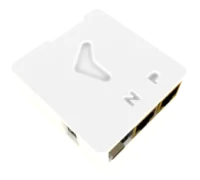
The AR Data Box is a compact Linux appliance, delivered as a finished product: DCA 4 arrives pre-installed and fully configured, with vendor software that simplifies management and a straightforward on-box interface for registration. It is also a deliberately closed platform. The box is sealed and hardened, with no operating system for the dealer to manage, which means less to maintain on a device that sits inside customer networks.
 Setup takes minutes:
- Connect the box to the customer network (Ethernet from the wall or router into the “N” port; the optional “P” port can daisy-chain to a nearby device) and supply USB power. Plug in the USB display, which shows the box’s IP address.
- Open the on-box configuration tool from any browser on the same network.
- Generate a license code in the MPS Monitor portal (Download > Connector), exactly as for any DCA 4 installation.
- Register the box with your customer code and license code, and the DCA starts discovering and reporting the fleet.
From that moment, the AR Data Box behaves in the MPS Monitor portal like any other DCA 4 installation. Device discovery, meters, supplies, alerts and all portal-side management work exactly as you know them. Your data, your dealer structure and your workflows stay the same; only the hardware underneath changes.
Because the box is certified for use with MPS Monitor, you get a jointly supported solution: MPS Monitor stands behind the DCA 4 software, licensing and portal side, while Always Reporting Data stands behind the hardware.
The AR Data Box is sold by Always Reporting Data and its distribution partners. For pricing and availability, contact the distributors or Always Reporting Data at alwaysreportingdata.com. For questions about DCA 4, licensing, registration or anything on the portal side, MPS Monitor support is available as always at help@mpsmonitor.com.